
Operation Manual


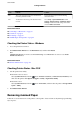


Code Problem Solution
341 A communication error has occurred. ❏ Check the connections for the printer and the
computer. If you are connecting over a network,
see the Network Guide.
❏ Make sure that Document Capture Pro is installed
on the computer.
401 There is not enough storage space available to save
the data in the memory device.
Increase the storage space in the memory device.
402 The memory device is write-protected. Disable write protection on the memory device.
404 The memory device has been removed. Reinsert the memory device.
405 An error occurred while saving the data to the
memory device.
❏ Reinsert the memory device.
❏ Use a dierent memory device on which you have
created a folder using the Create Folder to Save
function.
411 A DNS error has occurred.
❏ Select Setup > System Administration > Wi-Fi/
Network Settings > Advanced Setup > DNS
Server, and then check the DNS settings.
❏ Check the DNS settings for the server, the
computer, or the access point.
412 An authentication error has occurred.
Select Setup > System Administration > Wi-Fi/
Network Settings > Advanced Setup > Email
Server > Server Settings, and then check the server
settings.
413 A communication error has occurred.
❏ Select Setup > System Administration > Wi-Fi/
Network Settings > Advanced Setup > Email
Server > Server Settings, and then check the
server settings.
❏ Check the network connection. See the Network
Guide for more details.
421 A DNS error has occurred.
❏ Select Setup > System Administration > Wi-Fi/
Network Settings > Advanced Setup > DNS
Server, and then check the DNS settings.
❏ Check the DNS settings for the server, the
computer, or the access point.
422 An authentication error has occurred.
Select
Setup > System Administration > Fax
Settings > Output Settings > Fax Output > Other
Settings, and then check the settings of the folder
selected in Where to Forward.
423 A communication error has occurred. It is also
possible that a
le
with the same name is open or the
le is a read-only le.
❏ Check the network connection. See the Network
Guide for more details.
❏ Select Setup > System Administration > Fax
Settings > Output Settings > Fax Output >
Other Settings, and then check the settings of
the folder selected in Where to Forward.
❏ Close the
le
with the same name or disable the
read-only protection.
User's Guide
Solving Problems
156