
Operation Manual


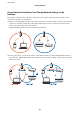


Checking the SSID for the Computer
Windows
Select Control Panel > Network and Internet > Network and Sharing Center.
Mac OS
Click the Wi-Fi icon at the top of the computer screen. A list of SSIDs is displayed and the connected SSID is
indicated with a check mark.
Related Information
& “Checking the SSID Connected to the Scanner” on page 84
& “Checking the SSID for the Computer” on page 85
User's Guide
Solving Problems
85