
User`s guide


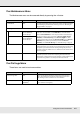


Using the Control Panel Menu 112
Select Media
Customize Settings
RIP Settings
Parameter Explanation
RIP Settings Choose the media settings used for printing.
If RIP Settings is selected, the media settings selected in the software RIP
will be used.
Select a number between 1 and 30 to use the settings in the
corresponding media setting bank. Use Customize Settings to create
media setting banks.
1 to 30 (media setting bank number)
Item Parameter Explanation
Current Settings Change settings for currently selected media. The options available
depend on whether RIP Settings or a media setting bank is selected.
More information on the options available can be found below in the
entries for RIP Settings and media setting banks 1 to 30.
Item Parameter Explanation
Platen Gap 1.5 Change Platen Gap (the gap between the print head and the media) for
the media setting bank selected in the software RIP.
The default setting of 1.5 is recommended in most situations. Choose 2.0
if printout is scratched or smudged. Select 2.5 only if print results are still
smudged when 2.0 is selected. Choosing a larger gap than required may
result in ink stains inside the printer, reduced print quality, or shorter
product life.
2.0
2.5
Head Alignment
Input thickness. 0.1 to 1.0 mm
(4 to 40 mil)
Enter a value for media thickness of from 0.1 to 1.0 mm (4 to 40 mil).
Manual(Uni-D) Print Select Head Alignment to realign the print head when print results
seem grainy or out of focus.
You need to check the pattern and enter the optimum adjustment value
for alignment. See “Correcting Print Misalignment (Head Alignment)” on
page 71.
Manual(Bi-D)
Roll Type
Printable Side Out Choose Printable Side Out or Printable Side In according to how the
media is rolled.
Printable Side In