
Operation Manual




6-18 Using the Printer Software for Macintosh
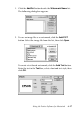
3. The image file name or the watermark text appears in the list
in the Watermark dialog box. To change the name of the
watermark, select it from the list, then type a new name.
4. Click OK to add your watermark to the Watermark Name list.
Note:
When a text watermark is selected in the Watermark Name list,
you can edit the text and change the font and text style by clicking
the Edit Text button.
Setting a print time
You can specify the time that you want the printer to start printing
your document. Follow these steps.
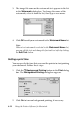
1. Click the
Background Printing button in the Print dialog
box. The Background Printing dialog box appears.
2. Click On to turn on background printing, if necessary.