
Operation Manual






Scanner 8-31
Using the Automatic Document Feeder
The Automatic Document Feeder (B813143) allows you to
automatically load multiple-page documents into your Stylus
Scan. This document feeder is particularly useful for OCR (optical
character recognition) scanning, or for creating an image
database.
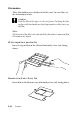
Unpacking the Automatic Document Feeder
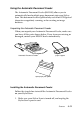
When you unpack your Automatic Document Feeder, make sure
you have all the parts shown below. If any items are missing or
damaged, contact your EPSON dealer immediately.
Installing the Automatic Document Feeder
Follow the steps below to install the Automatic Document Feeder
on your Stylus Scan.
1. Make sure your Stylus Scan is turned off, and unplug the
Stylus Scan’s power cord.
paper supportAutomatic Document Feeder
spare paper path guide