
Operation Manual





8-20 Scanner
Disabling the Scan button
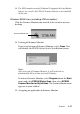
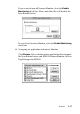
If you need to disable the Scan Button feature, select the Disable
device event check box in the EPSON Stylus Scan 2500
Properties dialog box. When this check box is cleared, Windows
98 will detect if the
Scan button is pressed and launch the
application you selected in the Send to this application list.
Options
Using the Film Adapter
The Film Adapter (B813133) is a special device developed to
enable the scanning of negative film strips and slides by simply
installing the unit on your Stylus Scan. The Film Adapter is
compact so it can be attached or removed easily when you
alternate scanning between transparent materials and normal
reflective (paper) documents.
Note:
The Film Adapter cannot be used with the copy function.