
Operation Manual




Transporting the Printer
When transporting the printer, repack the printer
using the original box and packing materials to
protect from shock and vibration.
c
Caution:
❏ Do not remove the ink cartridges; otherwise,
the print head nozzles may dry up or ink
may leak from the cartridge.
❏ Be careful not to touch the parts unless you
needed to; otherwise, the printer may be
damaged.
Repacking the printer
A
Turn off the printer, and then unplug the cables
such as the power cord.
B
Remove the roll paper and roll media adapter if
they are set in the printer.
C
Remove the paper basket if it is installed.
D
Remove the optional Auto Take-up Reel Unit if
they are installed.
E
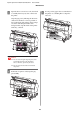
Open the front cover to install the protective
material for fixing the print head, and then
close the cover.
See the Setup Guide
Transporting the printer
When you transport the printer, be sure to repack the
printer using the original box and packing materials.
c
Caution:
❏ When moving or transporting the printer,
keep it flat. Do not tilt it, stand it on end, or
turn it upside down. Doing so may cause the
ink to leak inside the printer. Also, proper
operation of the printer after moving or
transportation cannot be guaranteed.
❏ When transporting the printer, repack the
printer using the original box and packing
materials to protect it from shock and
vibration.
❏ When moving or transporting this product
equipped with the stand on an uneven
surface, lift the printer and carry it.
❏ When moving or transporting this product
equipped with the stand, check all the screws
for proper tightness on the stand afterward.
Epson Stylus Pro 7700/7710/9700/9710 User’s Guide
Maintenance
85