
Operation Manual




C
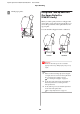
Move the paper guides to the vertical position,
and then bring the front basket back as far as it
goes.
D
Bring the front paper basket up and fasten it
with the hook-and-loop fastener straps.
Note:
If you are concerned about the print quality
when printing on Doubleweight Matte Paper
or Enhanced Matte Paper, try to set the paper
guides in the front direction.
E
For Epson Stylus Pro 9700/9710, switch the
position of the rear paper basket depending on
the paper size.
If the paper is A1 or smaller:
Lift both the front and rear baskets as shown
below.
If the paper is larger than A1 size:
Tilt the rear basket until parallel to the floor
during printing.
Epson Stylus Pro 7700/7710/9700/9710 User’s Guide
Paper Handling
42