
Operation Manual




Accessing the Printer
Driver
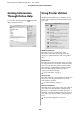
To access the printer driver, follow the steps below.
The following procedures may differ depending on
the application you use.
❏ Page Setup dialog
You can make the paper settings, such as media
type, paper size.
❏ Print dialog
You can make the settings related to print quality.
Accessing the Page Setup dialog
A
Click Page Setup on the File menu of your
application.
B
The Page Setup dialog is displayed.
You can select a paper size, borderless printing,
a paper source, and a print area in the Paper
Size setting.
Accessing the Print dialog
A
Click Print on the File menu of your application.
B
The Print dialog is displayed.
For Mac OS X 10.5, click the button.
Make the settings as necessary, and then start printing.
Note:
For Mac OS X 10.5, you can make the Page Setup
settings depending on the application you use.
Epson Stylus Pro 7700/7710/9700/9710 User’s Guide
Using the Printer Software (Mac OS X)
117