
Operation Manual






Using the Printer
Software (Windows)
Printer Software
Introduction
The printer software CD-ROM includes the following
software. See its online help for detailed information
for each software.
❏ Printer driver
❏ EPSON Status Monitor 3
❏ EPSON LFP Remote Panel 2
Note:
The dialog box may differ depending on the version of
the printer software.
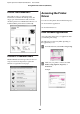
Printer driver
The printer driver lets you print documents from
applications to the printer.
The following are the main functions of the printer
driver:
❏ Sends the print data to the printer.
❏ Makes the printer settings, such as the media type,
paper size. You can register these settings, and
you can also easily import or export these
registered settings.
❏ Executes the printer maintenance functions and
sets the operation of the printer driver in the
Utility tab. You can also import or export printer
settings.
Epson Stylus Pro 7700/7710/9700/9710 User’s Guide
Using the Printer Software (Windows)
106