
Basic Operation Guide Printer RX700


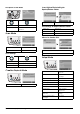
Table Of Contents
- Safety Instructions
- Using the Control Panel
- Basic Copying
- Copying on CD/DVD
- Printing Directly from a Memory Card - Basic Printing
- Printing Directly from a Memory Card - Printing Options
- Printing a Single Photo
- Printing Multiple Photos onto One Sheet
- Printing Enlarged Images
- Printing Photo Stickers
- Printing on CD/DVD
- Printing a CD Jacket
- Printing on EPSON Iron-On Cool Peel Transfer Paper
- Printing Using a Combo Printing Sheet
- Printing with DPOF Functions
- Printing with Photo Frames
- Changing Print Settings
- Printing from Film
- Scanning to a Memory Card
- Printing Directly from a Digital Camera
- Printing Directly from an External Device
- Replacing Ink Cartridges
- Maintenance and Transporting
- Troubleshooting
- Customer Support
- Product Specifications
- Summary of Panel Settings
- Index

50 Summary of Panel Settings
Print Options for Film Mode
Scan Mode
Scan Settings
Creative Projects Mode
Scan Original Photo Setting for
Reprint/Restore Photos
Print Settings for Reprint/Restore Photos
Menus for Combo Print
Setup Mode
Quality Normal, Photo, Best Photo
Saturation Less Saturation, Normal, More
Saturation
Scan to Memory Card Scan to Email
Scan to PC
Scan area Auto cropping, Max area
Document Type Text, Graphics
Quality Normal, Text and Image
Reprint/Restore Photos Combo Print
Original Size 10 × 15 cm (4 × 6 in)
Paper Type Prem.Glossy
Paper Size 10 × 15 cm (4 × 6 in), A4
Restoration On, Off
Select Photo and Print Template
Scan Template and Print Photo
Ink Levels CD/DVD Position
Up/Down
Nozzle check CD/DVD Position
Left/Right
Head Cleaning BT Printer ID Set
Head Alignment BT Connectivity Mode
PictBridge Setup BT Encryption
Direct Print Document Set BT PIN Code Set
Backup Memory Card BT Device Address
Folder select Paper Thickness
Adjustment
Photo Stickers Position
UP/Down
Restore to Factory
Settings
Photo Stickers Position
Left/Right
Language