
Service manual




EPSON Stylus Photo 870/1270 Revision B
Disassembly And Assembly Disassembly Procedures 88
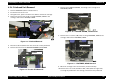
9. Removing the one screw (CBP, 3x8) securing TRAY, ABSORBER
ASSEMBLY to the right part of the printer mechanism.
10. Remove SPACER, TRAY securing TRAY, ABSORBER to the left side of
the printer mechanism, and then remove TRAY, ABSORBER by
moving it downward.
11. Remove ABSORBER, WASTE INK, LARGE/ SMALL from TRAY,
ABSORBER.
CAUTION
!
When installing TRAY, ABSORBER ASSEMBLY to the
printer mechanism, make sure they are securely jointed
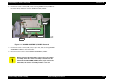
with SPACER, TRAY. Refer to Figure 4-14.
!
Be careful not to damage SCALE, PF, (loop scale) when
installing SPACER, TRAY.
ADJUSTM ENT
REQUIRED
!
If you replace TRAY, ABSORBER ASSEMBLY, be sure to
perform the Waste ink counter reset operation. (Refer to
Chapter.)
!
When installing TRAY, ABSORBER ASSEMBLY to the
printer mechanism, make sure it securely joins to
FRAME, RIGHT by its hook in the right.