
Service manual




EPSON Stylus Photo 870/1270 Revision B
MAINTENANCE Overview 142
17
The COMBINATION GEAR 13.5, 30
shaft in FRAME, LEFT
G-26
φ
1 x 5mm
Page 144
18
The LD roller assembly hole in the
FRAME, ASF; B
• Using a brush, apply the grease
evenly to the entire inside surface of
the hole.
G-26
φ
1 x 1mm
Page 145
19
The left and right latches in the
Hopper assembly along which the
hopper release levers turn.
• Use a brush to apply the grease.
G-26
A 2-mm wide bead for
each
Page 145
20
GUIDE PLATE, CR
G-26
φ
1 (See the figure for
length.)
Page 145
W ARNING
!
Never apply oil directly to the CR guide shaft. This may
cause fatal damage to the main components of the
printer.
!
Avoid applying too much oil to the oil pad. Otherwise, you
may critically damage the main components of the
printer.
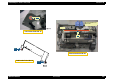
Table 6-2. Lubrication Point (continued)
Lubrication Point
Lubricant Type &
Amount
Refer to:
G-26
Lubrication Point No.1
HOLDER, PULLEY, DRIVEN
G-26
G-26
G-26
G-26
Lubrication Point No.2