
Service manual



EPSON Stylus Photo 870/1270 Revision B
ADJUSTMENT Adjustment 136
4. In the protect counter check/clear window, select
Check the present
counter values
and click
OK
. The Check the present protection counter
values window appears.
5. Click
OK
, and the present protection counter value is displayed.
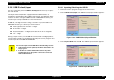
Figure 5-31. Counter Value Display Window
6. Click
Continue
to get to the protection counter check/clear window.
5.2.11.2 Clear the Protection Counter Values
1. Starts the service program and get to the main menu.
2. Click the
Maintenance
tab.
3. Select
Protection counter check
in the maintenance window and click
OK
. The protection counter check/clear window appears.
4. In the protect counter check/clear window, select
Clear the present
counter value
and click
OK
. The Clear the protection counter value
window appears.
Figure 5-32. Clear the Protection Counter Window
5. In the Clear the protection counter value window, click
OK
. The
protection counter value is cleared.
6. Click
Continue
to get back to the protection counter check/clear
window.
The present counter value is displayed here.
CAUTION
Whenever you reset the protection counter, be sure to
replace the current waste ink pad with a new one. (See
Chapter 4.)