
Service manual



EPSON Stylus Photo 870/1270 Revision B
ADJUSTMENT Adjustment 130
5.2.7 Bi-Directional adjustment
This adjustment is required when line misalignment (incorrect print
timing) between the two directions (from left to right and vice versa) is
noticed. The adjustment value is memorized in EEPROM on the main
board. You need to make this adjustment under any of the following
conditions:
!
You replace the printer mechanism.
!
You replace the main board.
!
You remove the CR motor.
!
You remove the CR unit.
Bi-D pattern prints only with color inks.
NOTE:
You are recommended you should make this adjustment if you
disassemble the carriage mechanism.
1. Starts the service program and get to the main menu.
2. Select
Bi-Directional adjustment.
The Bi-Directional adjustment
window appears.
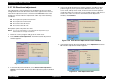
Figure 5-19. Bi-Directional Adjustment Window
3. In the Bi-D adjustment window, select
Print the Bi-D adjustment
patterns
and click
OK
. The Print the Bi-D adjustment pattern window
appears.
4. In the Print the Bi-D adjustment pattern window, click
OK
. The Bi-D
pattern begins to print. It prints in the Multi Shot Color mode, 6pl
Color mode, and 4pl Color mode, and each of them shows patterns
using three data; the centre value in the middle and plus and minus 2
of the center value. To return to the Bi-Directional adjustment
window, click
Continue
.
Figure 5-20. Print the Bi-D Adjustment Pattern Window
5. In the Bi-Directional adjustment window, select
Adjustment
and click
OK
. The Bi-D adjustment window appears.
Figure 5-21. Bi-D Adjustment Item