
Service manual



EPSON Stylus Photo 870/1270 Revision B
Disassembly And Assembly Disassembly Procedures 114
4.2.14 MOTOR ASSEMBLY, PF Removal
1. Remove HOUSING. (Refer to Section 4.2.1)
2. Remove the ASF Unit. (Refer to Section 4.2.10.)
3. Remove the Carriage Unit. (Refer to Section 4.2.11.)
4. Remove ROLLER, PF. (Refer to Section 4.2.13.)
5. Remove the one plane washer (4.1x0.5x4.5) fixing the combination
gear (13.5, 30) to FRAME, LEFT, and then remove the combination
gear.
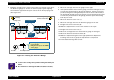
Figure 4-64. Removing COMBINATION GEAR and PLANE WASHER
6. Remove the one screw (CBS, 3x6), plane washer (3.3x0.5x8), and
SCREW, MOUNTING, PF that are securing MOTOR ASSEMBLY, PF to
FRAME, LEFT. Then remove MOTOR ASSEMBLY, PF.
Figure 4-65. PF Motor Removal
COMBINATION GEAR,
13.5, 30
PLANE WASHER
(4.1x0.5x6.5)
CAUTION
Be careful not to damage the teeth of COMBINATION
GEAR, 13.5, 30.
ADJUSTM ENT
REQUIRED
If you replace MOTOR ASSEMBLY, PF, adjust backlash for
the PF pinion and SPUR GEAR, 76. (See Chapter 5.)
MOTOR ASSEMBLY, PF
SCREW, MOUNTING, PF
CBS (3x6), PLANE WASHER