
Service manual




EPSON Stylus Photo 870/1270 Revision B
Disassembly And Assembly Disassembly Procedures 108
4.2.13 ROLLER, PF Removal
1. Remove HOUSING. (Refer to Section 4.2.1)
2. Remove the Panel Unit. (Refer to Section 4.2.3.)
3. Remove HOUSING, PANEL, LEFT. (Refer to Section 4.2.5.)
4. Remove the ASF Unit. (Refer to Section 4.2.10.)
5. Remove the Carriage Unit. (Refer to Section 4.2.11.)
6. Remove the three screws (CBS, 3x6) securing GUIDE PLATE, CR Unit
to FRAME, TOP. Then remove GUIDE PLATE, CR Unit.
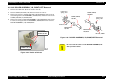
Figure 4-52. GUIDE PLATE, CR Unit Removal
7. Remove PAPER GUIDE, RIGHT Unit and the five PAPER GUIDE,
UPPER Unit (eight for Stylus Photo 1270) from FRAME, TOP in the
manner described below:
!
PAPER GUIDE, UPPER Unit
Remove the torsion spring (117.6). Then remove the unit to the
rear.
!
PAPER GUIDE, RIGHT Unit
Remove the torsion spring (117.6). Then remove the unit to the
front.
Figure 4-53. PAPER GUIDE, UPPER/RIGHT Unit Removal
8. Release the hook securing PAPER GUIDE, LEFT* to FRAME, TOP.
Then shift the unit to the left first, and remove it to the rear.
* PAPER GUIDE, LEFT is not assembled in Stylus Photo 1270.
CBS (3x6)
GUIDE PLATE, CR Unit
PAPER GUIDE,
UPPER Unit
TORSION SPRING, 117.6
PAPER GUIDE,
RIGHT Unit