
Specifications




Environmental
Temperature: Operation: 10 to 35° C (50 to 95° F)
Storage: –20 to 50° C (–4 to 122° F)
Humidity (without condensation):
Operation: 20 to 80% RH
Storage: 5 to 85% RH
Safety approvals
Safety standards: UL1950 with D3, CSA22.2 #220
R.F.I.: FCC Part 15 Subpart B class B
Interface specifications
Your printer is equipped with an 8-bit parallel interface,
which has the following characteristics:
Data format: 8-bit parallel
Synchronization:
STROBE pulse
Handshake
timing:
BUSY and
ACKNLG signals
Signal level: TTL compatible
Connector: 36-pin 57-30360 Amphenol connector or
equivalent
Default settings
The table below shows the default settings that take effect
when the printer is initialized. In addition, hardware and
control panel initialization clears the data buffer.
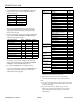
Item Default setting
Top-of-form position Current paper position
Page length Single sheets:
oo65 lines for A4-size paper
oo61 lines for letter-size paper
oo22 inches for manual insertion
Left and right margins Canceled
Line spacing 1/6-inch line spacing
Character size 10.5 point
Vertical tab position Cleared
Horizontal tab positions Every eight characters
Font selection Last font selected on control panel
Special printing effects Canceled (except condensed printing)
Download character set Hardware initialization: cleared
Software/control panel
initialization: deselected only
The Control Panel
The printer control panel gives you easy control over most
common printer operations. It consists of indicator lights and
buttons.
Indicator lights
PAUSE
On when printing is paused
FONT
Indicates the current font setting. These three lights go on
and off when you press the FONT button. The font menu on
the control panel tells you which font is selected.
CONDENSED
On when the condensed printing mode is selected. When this
mode is selected, the printer prints a condensed version of
selected fonts.
ECONOMY
On when the economy printing mode is selected. When this
mode is selected, the printer uses less ink. This mode is ideal
for rough drafts.
INK OUT
On when the ink cartridge runs out of ink. Rapid flashing
indicates that ink is low.
PAPER OUT
On when the printer runs out of paper. Rapid flashing
indicates a paper jam.
DATA
On when data remains in the printer’s memory.
Buttons
RESET
Clears the printer’s buffer and initializes the printer settings
to their factory settings.
PAUSE
Press this button to stop printing temporarily. Press it again
to resume printing.
EPSON STYLUS 1000
Ink Jet Printers 4/26/94 EPSON STYLUS 1000-3