
Operation Guide


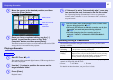


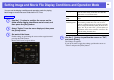
Table Of Contents
- Front Cover
- Contents
- EasyMP Summary
- Installing the Software
- Connecting with EMP NS Connection
- Convenient EMP NS Connection Functions
- Connecting to a Projector on a Different Sub-net
- Setting the EMP NS Connection Operation
- Using a Computer to Set Up, Monitor and Control Projectors
- Presentations Using PC Free
- Preparing a Scenario (Using EMP SlideMaker2)
- Appendix
- Copyrights and Trademarks

PC Free Basic Operations
54
PC Free Basic Operations
The following describes the procedures for playing images, movies, and
scenarios, using PC Free, and projection operations.
A
Use the [h] button to position the cursor on the file
or folder you want to access.
B
Press [Enter].
The selected image is displayed.
When a folder is selected, the files in the selected folder are
displayed. Select "Return" on the screen that opened and press the
[Enter] button to return to the previous screen.
Procedure
q
If all files and folders cannot be displayed at the same time
in the current window, press the [[] button or move the
cursor to the "Next page" button and press the [Enter]
button.
To return to the previous screen, press the []] button, or
position the cursor on the "Previous page" button and press
the [Enter] button.
Cursor