
Operation Guide


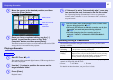


Table Of Contents
- Front Cover
- Contents
- EasyMP Summary
- Installing the Software
- Connecting with EMP NS Connection
- Convenient EMP NS Connection Functions
- Connecting to a Projector on a Different Sub-net
- Setting the EMP NS Connection Operation
- Using a Computer to Set Up, Monitor and Control Projectors
- Presentations Using PC Free
- Preparing a Scenario (Using EMP SlideMaker2)
- Appendix
- Copyrights and Trademarks

PC Free Basic Operations
53
f Closing PC Free
A
Use the [h] button to position the cursor on "Exit".
B
Press [Enter].
PC Free shuts down and the EasyMP standby screen is displayed.
C
After turning off the power supply to the digital
camera or the USB storage device, disconnect it
from the projector.
When removing an SD card, check the status of the access
indicator at the card slot before removing the card.
q
• When autorun is set for a scenario, it is automatically
played back with the highest priority over other input
sources. If you want to stop it from playing back, press the
[Esc] button on the remote control.
s
p.75
• When a USB multi-card reader is connected to the
projector, the following USB icons are displayed, and slots
in which a card is inserted are displayed with a blue icon.
• Some JPEG files may be displayed as file icons instead of
thumbnails.
Procedure
q
If you leave the USB storage device connected when you
close PC Free and the EasyMP standby
screen is displayed, disconnect the USB storage device and
reconnect it before starting PC Free again.