
Operation Guide




Table Of Contents
- Front Cover
- Contents
- EasyMP Summary
- Installing the Software
- Connecting with EMP NS Connection
- Convenient EMP NS Connection Functions
- Connecting to a Projector on a Different Sub-net
- Setting the EMP NS Connection Operation
- Using a Computer to Set Up, Monitor and Control Projectors
- Presentations Using PC Free
- Preparing a Scenario (Using EMP SlideMaker2)
- Appendix
- Copyrights and Trademarks
PC Free Basic Operations
52
C
Use the [h] button to move the cursor to the icon for
the projection target, and then press the [Enter]
button.
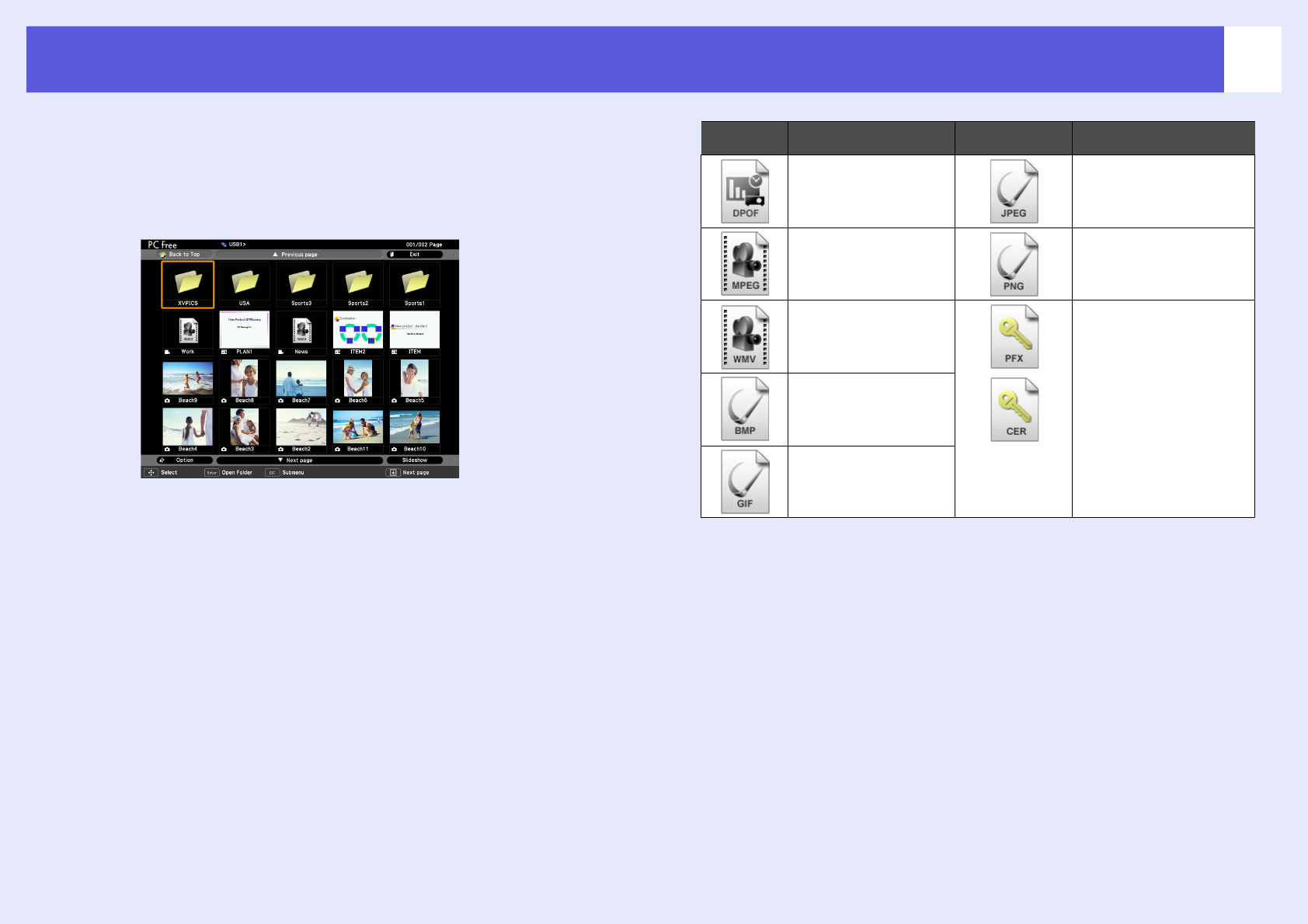
PC Free starts and displays the contents of the USB storage device
or SD card.
JPEG files and MPEG files are displayed as thumbnails (file
contents are displayed as small images). Other files or folders are
displayed as icons as shown in the following table.
Icon File Type Icon File Type
Digital camera format JPEG file
MPEG file PNG file
WMV files Electronic certificate file
BMP file
GIF file