
Operation Guide


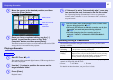


Table Of Contents
- Front Cover
- Contents
- EasyMP Summary
- Installing the Software
- Connecting with EMP NS Connection
- Convenient EMP NS Connection Functions
- Connecting to a Projector on a Different Sub-net
- Setting the EMP NS Connection Operation
- Using a Computer to Set Up, Monitor and Control Projectors
- Presentations Using PC Free
- Preparing a Scenario (Using EMP SlideMaker2)
- Appendix
- Copyrights and Trademarks

51
PC Free Basic Operations
PC Free lets you play back and project scenarios, image files, and
movie files in USB storage devices and SD cards, and image files in
digital cameras.
This section explains the basic operation of PC Free.
Because the remote control is used to perform all of the following
steps, button names indicate remote control buttons.
Starting and Closing PC Free
f Starting PC Free
A
Connect one of the following devices to the
projector. See your User’s Guide for more
information.
• Digital Camera or USB Storage Device
• USB MultiCard Reader (when a memory card is inserted)
• SD card
B
Press the [EasyMP] button. The EasyMP standby
screen is displayed.
USB storage devices and SD card icons are displayed on the
standby screen.
Procedure