
Operation Guide




Table Of Contents
- Front Cover
- Contents
- EasyMP Summary
- Installing the Software
- Connecting with EMP NS Connection
- Convenient EMP NS Connection Functions
- Connecting to a Projector on a Different Sub-net
- Setting the EMP NS Connection Operation
- Using a Computer to Set Up, Monitor and Control Projectors
- Presentations Using PC Free
- Preparing a Scenario (Using EMP SlideMaker2)
- Appendix
- Copyrights and Trademarks
33
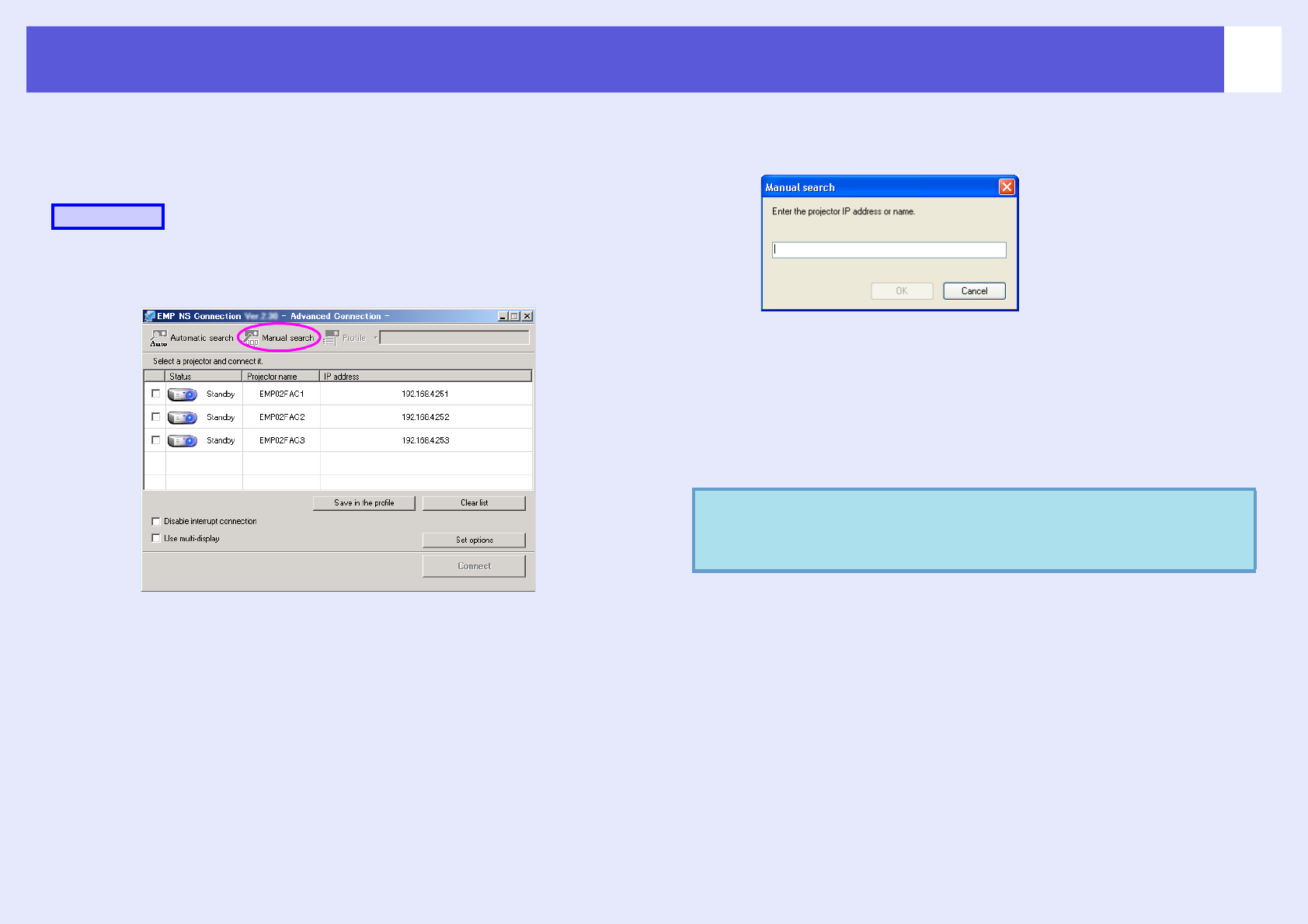
Searching by Specifying the IP Address and Projector Name (For "Advanced Connection Mode" only)
In the following explanations, unless otherwise noted, Windows screen
shots are used.
You see a similar screen even when using Macintosh.
A
Click "Manual search" on the EMP NS Connection
projector selection screen.
B
Enter the IP address or the projector name for the
projector you want to connect to, and click "OK".
The search results are displayed on the EMP NS Connection
projector selection screen.
Provided the target projector has been identified, select that
projector, and then click "Connect" to establish a connection.
When you will always be using that projector, save the search as a
profile, such that you do not have to specify the relevant details
every time you perform a search. s p.34
Procedure
q
When you use "Manual search" in "Quick Connection
Mode", you can specify the SSID. When there are a lot of
projectors you can narrow the search field by using SSID.