
Operation Guide




Table Of Contents
- Front Cover
- Contents
- EasyMP Summary
- Installing the Software
- Connecting with EMP NS Connection
- Convenient EMP NS Connection Functions
- Connecting to a Projector on a Different Sub-net
- Setting the EMP NS Connection Operation
- Using a Computer to Set Up, Monitor and Control Projectors
- Presentations Using PC Free
- Preparing a Scenario (Using EMP SlideMaker2)
- Appendix
- Copyrights and Trademarks
Performing a search with a profile
38
D
Click "OK".
Saves your edits and closes the "Edit profile" screen.
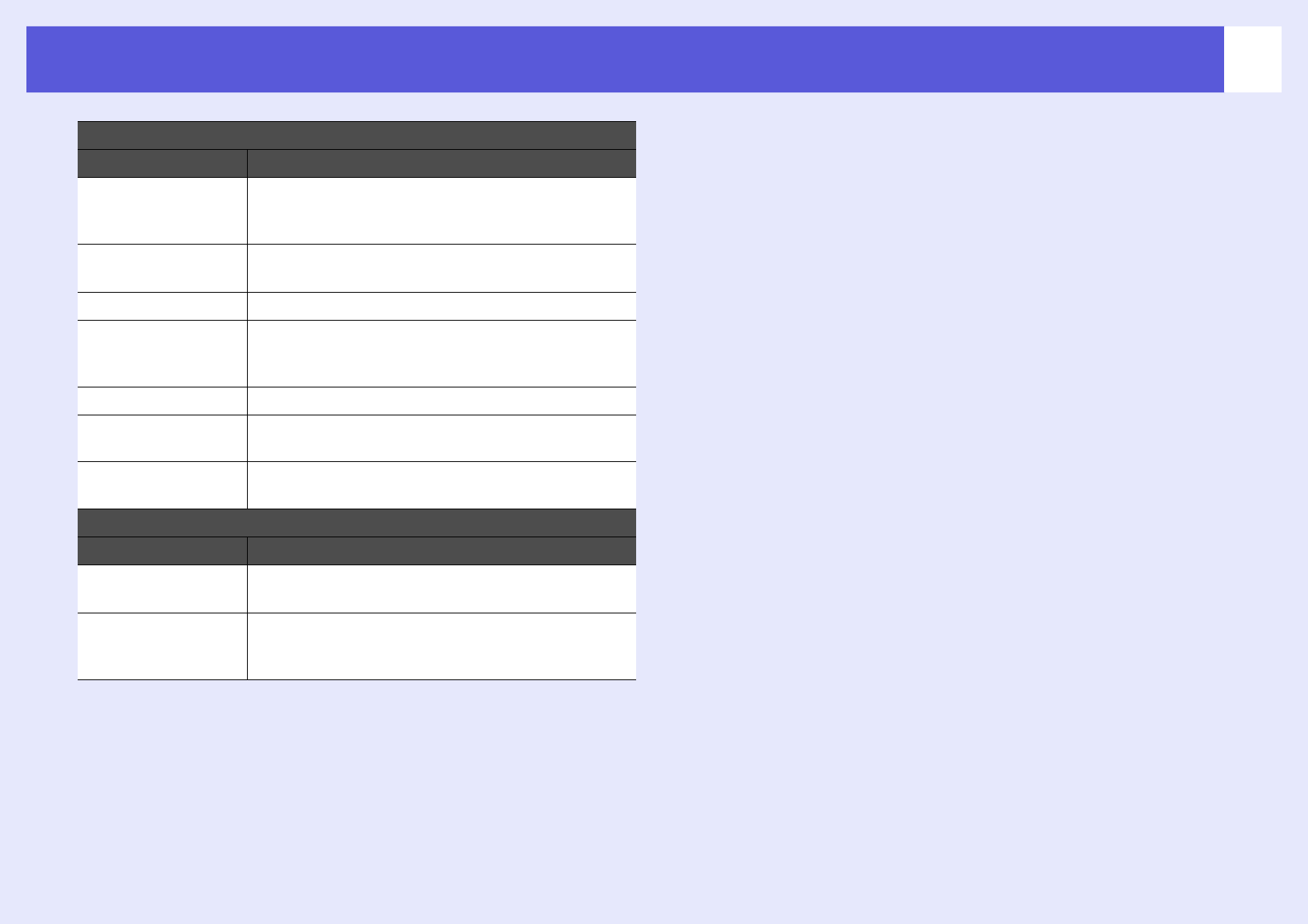
Profile
Item Function
Profile You can display the registered profile. You can manage
it by creating a folder. You can change the order of the
profile or the folder by dragging & dropping.
Copy You can copy the profile. The copied profile is saved in
the same folder as the original with the same name.
Delete You can delete the profile and the folder.
Rename You can display the rename dialog box and rename the
folder or the profile. You can enter up to 32 characters
in the rename dialog box.
Create folder You can create a new folder.
Export You can export a profile, as well as import and use a
profile.
Import Used when you want to want to read and use an
exported profile.
Information on selected profile
Item Function
Projector name
IP address
You can display the projector information registered in
the profile.
Delete You can delete the information for the selected
projector. When all projector information is deleted, the
profile is also deleted.