
Operation Guide


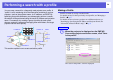


Table Of Contents
- Front Cover
- Contents
- EasyMP Summary
- Installing the Software
- Connecting with EMP NS Connection
- Convenient EMP NS Connection Functions
- Connecting to a Projector on a Different Sub-net
- Setting the EMP NS Connection Operation
- Using a Computer to Set Up, Monitor and Control Projectors
- Presentations Using PC Free
- Preparing a Scenario (Using EMP SlideMaker2)
- Appendix
- Copyrights and Trademarks

Performing a search with a profile
35
B
Enter a profile name and then click "Add".
Projector information is registered in the profile.
If you have previously saved a profile, you are prompted to confirm
whether that profile can be overwritten. To save a profile with a
different name, select "Save as". If you have created a folder for a
profile, the following screens are displayed. After entering the
profile name and selecting the save destination, click "Add".
For Windows
For Macintosh
q
For details on how to create a folder for a profile, see
"Managing a Profile".
s
p.37