
Operation Guide


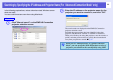
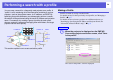


Table Of Contents
- Front Cover
- Contents
- EasyMP Summary
- Installing the Software
- Connecting with EMP NS Connection
- Convenient EMP NS Connection Functions
- Connecting to a Projector on a Different Sub-net
- Setting the EMP NS Connection Operation
- Using a Computer to Set Up, Monitor and Control Projectors
- Presentations Using PC Free
- Preparing a Scenario (Using EMP SlideMaker2)
- Appendix
- Copyrights and Trademarks

Connecting to a Projector on a Different
Sub-net
This chapter explains how to connect a computer to a projector on a different sub-net via a wired LAN or a wireless LAN access
point on an existing network system.
Connecting to a Projector on a
Different Sub-net............................................... 32
Searching by Specifying the IP Address and
Projector Name
(For "Advanced Connection Mode" only)....... 33
Performing a search with a profile.................... 34
• Making a Profile................................................................34
• Searching by Specifying a Profile ....................................36
• Managing a Profile............................................................37