
Using Guide


3
Note:
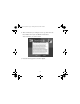
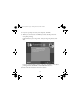
If you see a screen like this,
remove your memory card
from PictureMate and click the
X in the upper right corner to
close the screen, if necessary.
Note:
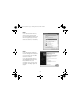
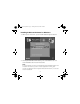
If you see a New Hardware
Found message at the bottom
of your screen, click the
X in
the box to close it.
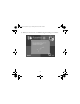
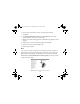
If you see a screen like this,
click Cancel and disconnect
PictureMate from your
computer. Then turn off your
computer and begin again at
step 3.
Usingwcomputer.fm Page 3 Tuesday, March 29, 2005 3:48 PM