
Using Guide


14
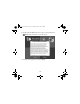
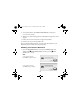
2. If PictureMate Deluxe appears in the Printer List, click PictureMate
Deluxe
and click Add.
If it doesn’t appear, make sure PictureMate is turned on and connected
to your Macintosh, then click
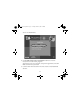
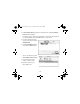
Add. You see a new screen:
3. If it isn’t already selected at
the top of the screen, choose
EPSON USB.
4. Click
PictureMate Deluxe,
then click the
Add button.
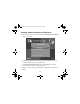
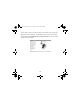
You see the Printer List with
PictureMate Deluxe added:
5. Close the Printer Setup
Utility or Print Center.
6. Remove and store your
PictureMate CD.
Usingwcomputer.fm Page 14 Tuesday, March 29, 2005 3:48 PM