
Using Guide


12
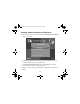
Installing Additional Software for Macintosh
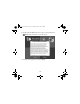
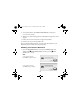
1. When you return to the Install Menu, click Install Optional Software.
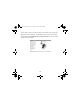
You see this menu:
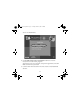
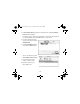
2. Click
Epson Software Film Factory, then click Install on the next
screen and follow the on-screen instructions.
3. Click
Epson PhotoCenter Link, then click Add Icon on the next
screen and follow the on-screen instructions.
4. When you return to the Optional Software menu shown above, click
Back.
Usingwcomputer.fm Page 12 Tuesday, March 29, 2005 3:48 PM