
Operation Manual

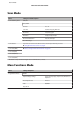




Menu Setting Item and Description
Epson Connect Services Status You can check whether your printer is registered or
connected to Epson Connect service. For instructions
on use, visit the Epson Connect portal site.
& “Using Epson Connect Service” on page 8
Email Address You can see your e-mail address registered in Epson
Connect.
Suspend/Resume Suspend/resume all Epson Connect services.
Restore Default Settings Delete your registered printer and initializes Epson
Connect settings to the factory default settings.
Google Cloud Print
Services
Status You can check whether your printer is registered or
connected to Google Cloud Print service. For
instructions on use, visit the Epson Connect portal
site.
& “Using Epson Connect Service” on page 8
Suspend/Resume Suspend/resume all Google Cloud Print services.
Restore Default Settings Delete your registered printer and initializes Google
Cloud Print settings to the factory default settings.
File Sharing Setup USB, Wi-Fi/Network Select which type of computer you want to give write
access to the memory card. You can select a
USB-connected or a networked computer.
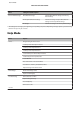
Home NW Print Settings Print Settings Paper Size, Paper Type, Paper Source, Quality,
Bidirectional, CD Inner/Outer, CD Density, Clear All
Settings
Photo Adjustments Enhance, Scene Detection, Fix Red-Eye*, Filter,
Brightness, Contrast, Sharpness, Saturation, Clear All
Settings
External Device Setup Print Settings Paper Size, Paper Type, Paper Source, Layout, Quality,
Expansion, Date, Print Info. On Photos, Fit Frame,
Bidirectional, CD Inner/Outer, CD Density, Clear All
Settings
Photo Adjustments Enhance, Scene Detection, Fix Red-Eye*, Filter,
Brightness, Contrast, Sharpness, Saturation, Clear All
Settings
Guide Functions Paper Size Alert On, Off
Document Alert On, Off
Auto Selection Mode Memory Card, Document Cover
All Functions On, Off
Clear All Settings
User’s Guide
Menu List of Control Panel
96