
Operation Manual

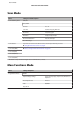


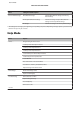


Menu Setting and Options
Photo Layout Sheet 2-up, 4-up, 8-up, 20-up, Sticker 16-up, Upper 1/2, Lower 1/2, Photo ID, Jewel Upper, Jewel Index,
P.I.F.
Paper Size 10x15cm(4x6in), 13x18cm(5x7in), 16:9 Wide, A4, A6,
100x148mm
Paper Type Prem. Glossy, Ultra Glossy, Glossy, Photo Paper, Plain
Paper, Matte, Photo Sticker, PhotoSticker16
Automatic Layout, Place Photos Manually
Browse Browse by Date, Cancel Browse
Select Photos Select All Photos, Cancel Photo Selection
Select Location Select Folder
Photo Adjustments
Enhance, Scene Detection, Fix Red-Eye
*2
, Brightness,
Contrast, Sharpness, Saturation
Filter Off, Sepia, B&W
Crop/Zoom
Print Settings Paper Source, Quality, Expansion, Date, Print Info. On
Photos, Fit Frame, Bidirectional
Greeting Card Select Photo and Print Template, Print Greeting Cards from Template
Browse Browse by Date, Cancel Browse
Select Location Select Folder
Photo Adjustments
Enhance, Scene Detection, Fix Red-Eye
*2
, Brightness,
Contrast, Sharpness, Saturation
Filter Off, Sepia, B&W
Paper Size 10x15cm(4x6in)
Paper Type Ultra Glossy, Prem. Glossy, Glossy, Photo Paper
Layout
Borderless
*1
, Upper 1/2, Lower 1/2
Frame Off, Oval, Oval - Soft Edge
Copy to CD/DVD Print on a CD/DVD, Test Print on A4 paper
Document Type Text & Image, Photo
Quality Standard, Best
User’s Guide
Menu List of Control Panel
93