
Operation Manual




Menu Functions
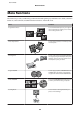
Lined Papers
You can print lined paper, graph paper, and
music paper. Follow the on-screen
instructions to print.
Writing Papers
You can print your own lined paper with a
photo set as the background. Follow the
on-screen instructions to print.
Calendar
You can print monthly or weekly calendars. For
monthly calendars, you can specify the year
and month. Follow the on-screen instructions
to print.
Message Card
You can create your own message cards with
or without a photo or a pre-designed image set
as the decoration.
Origami Envelope
You can create original envelopes with or
without pre-designed images set as the
background or as decoration. Two types of
envelope are available. After printing, fold the
paper following the instruction sheet that can
be printed from the Origami Envelope
Instruction menu.
(& “Printing origami envelopes” on
page 88)
Origami Envelope Instruction
1
2
3
4
5
5
6
6
6
6
6
6
7
7
8
8
8
8
8
8
9
99
10 10
10
11
160mm
115mm
1
2
3
4
44
5
5
5
5
6
6
6
7
7
7
7
8
8
8
9
9
9
10
10
10
1111111111
181mm
91mm
You can print an instruction sheet that shows
you how to fold the paper you printed using
the Origami Envelope function into an
envelope.
(& “Printing origami envelopes” on
page 88)
* Only use the Coloring Book function for drawings and pictures that you created yourself. When using copyrighted materials, make
sure you stay within the range of laws governing printing for personal use.
User’s Guide
More Functions
87