
Operation Manual




Move the focus to the setting item using the
u
d
l
r
buttons, and then press the OK button to switch the item
on or
o.
To enter the value, name, address, and so on, move the focus to the input eld using the
u
d
l
r
buttons, and
then press the OK button to display the on-screen keyboard.
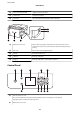
Entering Characters
On-screen Keyboard
You can enter characters and symbols by using on-screen keyboard when you make network settings and so on.
User's Guide
Printer Basics
18