
Specifications




EPL-5700 Chapter3 Troubleshooting
Rev. A
3-1
2
3.4.3 Troubleshooting Print Quality Problems
When the print quality problems occur, exchange the toner cartridge and
drum cartridge first, then, find out that its cause comes from each cartridge
or from the printer.
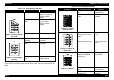
Table 3-17. Print Quality Problems
Symptom Possible cause Solution
All white. No toner cartridge. Install the toner cartridge.
No toner in the toner
cartridge.
Exchange the toner
cartridge.
No drum cartridge. Install the drum cartridge.
Figure 3-2. All
white. No
printing.
Defective OPC drum Exchange OPC drum.
Abnormal laser
emission.
• Exchange the print
head.
• Exchange the main
control board.
Improper transfer.
• Exchange the transfer
roller.*
• Exchange the high
voltage board.
• Exchange the main
control board.
Table 3-18. Print Quality Problems
Symptom Possible cause Solution
All black. Abnormal laser
emission.
• Exchange the Print
head.
• Exchange the main
control board.
Figure 3-3. All
black.
Abnormal charging.
• Exchange the high
voltage board.
• Exchange the main
control board.
All white. The paper is wet. Exchange the paper.
Figure 3-4. All
white. No
printing.
Improper transfer.
• Exchange the transfer
roller.*
• Exchange the high
voltage board.
• Exchange the main
control board.
Note*
) Since the life span of the fusing unit and the transfer roller are same,
if you need to exchange either one of them, make sure to exchange both of
them.