
User manual


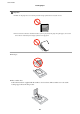



10. On the paper size setting screen, select the paper size using the
l
or
r
button, and then press the OK button.
On the paper type setting screen, select the paper type in the same way, and then press the OK button. Check
the settings, and then press the OK button.
Note:
You can also display the paper size and paper type settings screen by selecting the following menus.
Setup > Printer Setup > Paper Source Setting > Paper Setup
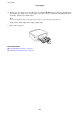
11. Slide out the output tray.
Related Information
& “Paper Handling Precautions” on page 20
& “Available Paper and Capacities” on page 21
User's Guide
Loading Paper
27