
User manual





Media Name Media Type
Control Panel Printer Driver, Smart
device
*2
Envelope Envelope Envelope
*1 These paper types are compatible with Exif Print and PRINT Image Matching when printing from the printer driver. For more
details, see the documentation provided with the Exif Print or PRINT Image Matching compatible digital camera.
*2 For smart devices, these media types can be selected when printing using Epson iPrint.
Loading Paper in the Paper Cassette
Note:
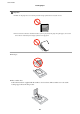
When the output tray is ejected, check that there is no paper on the tray, and then close it by pushing it with your hand.
1. Raise the control panel.
2. Open the front cover.
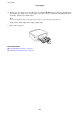
3. Check that the printer is not operating, and then pull out paper cassette.
User's Guide
Loading Paper
23