Owners manual
Manuals
Brands
Epson Manuals
Computers & Laptops
WorkForce WF-3640 Inkjet Multifunction Printer - Color - Photo Print - Desktop - Copier/Fax/Printer/Scanner - 33 ppm Mono/
161
162
163
164
165
166
167
168
169
170
E
Carefully remove the jammed paper.
F
Reattach the r
ear cover.
Removing jammed paper fr
om inside the product
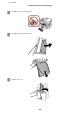
A
Carefully remove the jammed paper.
B
Open the scanner unit.
User’s Guide
Troubleshooting for Printing/Copying
165
1
...
...
163
164
165
166
167
...
...
209