
Instruction manual




16
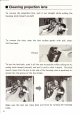
• Cleaning projection lens
To
remove
the
projection
lens,
pull
it
out
straight
while
pulling
the
focusing
knob
toward
yourself.
To
remove
the
dust, wipe
the
lens surface
gently
with
soft, clean,
lint-free
cloth.
Groove
To
put
the lens back, push
it
all
the
way
to
position
while
pulling
the
fo-
cusing
knob
toward
yourself, and
pull
it
until
a
click
is
heard.
This
click
sound means
that
the
pin at the end
of
the focusing
knob
is
positively in-
serted
into
the groove
of
the lens holder.
Make sure
the
lens
can
move back and
forth
by
turning
the
focusing
knob.