
User's Manual




M1 Installation and Programming Manual
Page 52
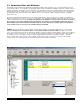
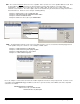
LIGHTING - The M1 can control up to 256 Light (or appliance) devices. Each is assigned to one of 256 addresses. Each
devices is displayed in columnar format with the following options and settings: Name - Each device can be given a 16
character name (description) which is displayed on the keypad when the light is being controlled. Format - This pull down
box selects the protocol of the device. Depending on the M1 model you have, the available Lighting formats are: Standard,
Extended, Preset dim, Compose, Serial Port. The Serial port format is for UPB, ALC, Centralite, others through an ELK-
M1XSP Lighting/Thermostat/Serial Expander Interface. Type - This pull down box selects the whether the device is a: On/Off
Switch, Dimmer, or Appliance. Show - If this box is checked the device will appear “show” on the keypad and telephone
remote as you scroll through the automation control menus. 2-way - This checkbox is used to record whether the device is
capable of replying back to commands. Voice Description - Click on this box to pop up a window for programming a custom
6 word voice phrase. The voice is used primarily during a telephone remote session. NOTE: Additional lighting formats are
in development, including the new Z-Wave wireless devices. Even if a lighting product is not directly supported, it is
always possible to use RS-232 ASCII strings for communicating lighting control.
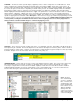
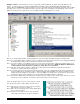
OUTPUTS - These can be in the form of voltage only, relays, or a combination of the two. Depending on the M1 model, up to
208 outputs may be controlled. The first 32 outputs have a 16 character description, 6 word voice phrase, and the “Show” on
keypad or telephone remote option. However, any output may be controlled from the keypad or telephone remote by entering
its number. Outputs can be used to actuate door locks, motors, fan, pumps, etc.
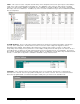
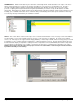
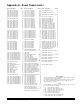
SUNRISE/SUNSET - Sunrise and sunset can be used to control lighting and other entities. This section is the setup for the
M1’s built-in Astronomical clock, which is capable of calculating sunrise and sunset times automatically. The inputs
necessary to setup the M1 for sunrise/sunset are latitude, longitude, and the time zone value where the M1 is installed.
Latitude/longitude information can often be found printed on city or state highway maps, or it can be researched on the
internet. After entering the required information, click calculate and then send to the M1.
NOTE: The Time
Zone automatically
assumes “standard
time”. Therefore, the
calculated times will
reflect standard time.
If the control is set for
“Observe Daylight
Savings Time” the
sunrise/sunset times
will be adjusted by the
control accordingly.