
Technical data


Electronic Scale – models EVLplus хх LМ1, BM1, LT1, BT1
29
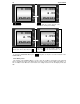
PRG , PRG , PRG – battery status. If the
adapter is connected to the scale the sign „ – „ is
changing consecutively:
- = ≡ - showing that the battery is charging
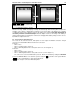
If battery is Low, the following message is
displayed: “batLO”
After the message “batLO”, the display is turning off automatically. When working without adapter the
dropping of the voltage is displayed by a battery icon in the left part of the display. The company
recommends turning on the adapter in order for the battery to be charged! The deep discharging of
the battery shortens its life dramatically!!! After the adapter is turn on, the voltage of the battery is
raising and the battery icon disappears. Continue the charging till the battery voltage reaches close to
6,8V with the adapter turned on.
8.5. Connecting to external devices
The scale can be connected to PC, label printer or cash register via RS232 connection. A 9-pin
connector is mounted with 2 different channels for connection.
Channel 1:
– PIN 5 - mass
– PIN 2 - receiving (active +5V for “0”)
– PIN 3 - delivering data from the scale (active +5V for “0”, 0V for logical “1”)
Channel 2:
– PIN 5 - mass
– PIN 8 - receiving (active +5V for “0”)
– PIN 7 – delivering data from the scale (active +5V for “0”, 0V for logical “1”)
The scales have several communication protocols, which are activated by setting the CASH XX
protocol in SERVICE Mode 1. The transfer speed is set by the T key and the cash register with the
PRN key. The communication is done through Channel 1.
Channel 2 is design for connection with label printer.
batLO
b-6.11