
Technical data

Owner’s Manual
18
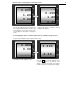
8.2.1 Activating from Service mode 2. Press PRG, DW after that press the PRG key rapidly till the
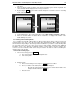
“cnt 0” is shown on the display. By pressing the C key from the numeric keyboard change the
blinking „0” to „1” .Press СР to exit.
8.2.2 Before you start work, place an exact number of details, you want to count and define their
exact number. For the next weighed details, this particular load will be used to define their
exact number. It is recommended that the number of the first weighed details is with mass е >
1/3 of the maximum of the scales.
For example: If the maximum for a particular scale is 3 kg then the number of the details
weighed should be at least 1 kg.
The 3 concepts are entered:
1. Basic number of details – this is the number of details which are used to calibrate the
counting function.
2. Basic weight – the weight of the “basic number of details”
3. Tare – tare of the package or the pot which is used during the counting.
8.2.3 Work with PLU and previously set data for the details
The 3 concepts explained above need to input via PC for each article PLU, in order for the scale to
work properly.
For the PC you need to use the “Article’s parameters” in “parameters COUNTING” mode:
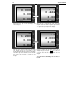
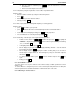
1. From Weighing mode double click PRG to go to PL1925, where 1925 is the maximal
number of articles of the scale.
2. Use the „+” key to change PLU001.
3. On the line below is displayed “Basic number of details”. Changing the number is done by
the numerical keyboard.
4. If Tare is used – Place the object used for Tare and press „Т” to set the Tare.
5. Press the „CH”, to switch to “Basic weight” mode.
6. On the “Price per kg” line is displayed: „base” and “neto”, on the “weight’ line is displayed the
set Basic weight or the current weight of the load placed on the scale.
7. Place the “Basic number of weight” (p.3) on the scales and when the weight is set, press the
“T” key. The weight of the details is sat as a “Base weight”.
8. By pressing the „CH” key you can go back to the “Basic number of details” and Tare.
9. To save the changes press the „+” key and you switch to PLU002.
10. To go to specific PLU press “PLU” – the PLU000 is displayed and the displayed number is
entered by the numeric keyboard followed by the “PLU” key.
Perform the following steps
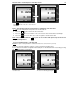
1. Turn on the scale, after all tests are performed double click the „СР” key.
2. On the middle line is displayed „.0”, on the “Weight line’ is displayed „0.000” and „base”
3. By using the numerical keyboard, enter the desired PLU number: Example: 800200 followed
by the „PLU” key.
4. On the first line of the display will be displayed the set Tare or „0.000” if there is no set Tare.
On the middle line is displayed „base” and the value for „Basic number of details”
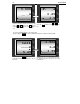
5. Place the desired number of details. On the “Total Price” is displayed the number of the
details blinking text „count”.
8.2.4 Work without PLU
Perform the following steps
1. Turn on the scale, after all tests are performed double click the „СР” key.