
Technical data


Owner’s Manual
10
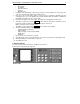
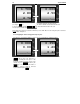
If the price is wrong it can be deleted it by
pressing the C key.
Correct the figures by entering 2 , 5 , 0
The total price is calculated and indicated.
Remove the load from the platter – in the Price
per kg field remains the last price entered.
The field for TOTAL remains blank until the load
is under the minimum load for the scale
Note: When the load is less than the minimal (see the “Min” label on the front panel) the scale does
not calculate “Total price”.
.
8.1.3. Weighing an article using previously set price
The article is stored under number 3 and no Tare is considered (for example oranges)
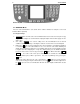
The load is placed. By using the PLU key
3/12 call the price. The total price is
calculated according the PLU price. If the
desired PLU number is between 10 and 18 (for
example 10) press DW /
⇓
⇓⇓
⇓
followed by the
1/10 key. In all other cases the number of
the PLU is called by using the numerical
keyboard followed by the PLU key.
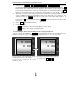
In the “Total price” field is shown the calculated
value.
0.350
1.20
__0.42
0.000
0.00
____.__
0.000
2.50
____.
__
1.700
2.80
___4.76