
Technical data



Owner’s Manual
16
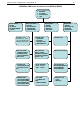
1.REPORTS – REPORTS MODE
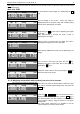
SELECT REPORT –
1. BY PLU
2. BY GROUP
3. BY DEPARTAMENT
4. TOTALS
Choose the desired mode by pressing the keys from 1 to 4.
To exit the mode press CP .
1.1. BY PLU – report by PLU (articles) –
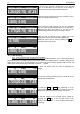
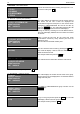
TOT.PLU N.ART=00016
PLU.NR=1; ART=GERMAN HAM
WEIGHT=00012.880
SUM =000080.20
The scale displays the Article №, PLU № and the name of
the article. On the last 2 lines are displayed the
accumulated weigh and total price for the chosen article.
Changing to NEXT/PREVIOUS PLU № can be done by
using the + / - .keys. The scale will find the first PLU №
with accumulation different than 0 and will display it.
During the memory scanning for PLU № different than 0,
the scale will display SEARCH and the number that scans
at the time.
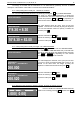
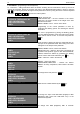
TOT.PLU N.ART=?
PLU.NR=8601; ART=FREE PRICE PLU
WEIGHT=00002.000
SUM =000010.10
After it scans the last PLU №, the scale also check
accumulation entered by freely entered price that are
different by zero.
The PLU № is the maximal number plus 1.
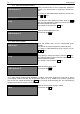
ENTER PLU NUMBER: 0055
(0001..8600)
You can check the next PLU № by pressing the PLU key.
The scale will display a field to enter the desired number.
Enter the desired PLU №.
For example: 0055 and press the PLU key.
TOT.PLU N.ART=00123
PLU.NR=55; ART=APPLES
WEIGHT=00010.200
SUM =00004.40
The scale shows the information about the new PLU №.
To exit the mode at any time press the CP key.
1.2. BY GROUP – reports by groups
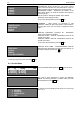
TOT.GROUP
GROUP=0; =Group 0
WEIGHT=00002.440
SUM =000009.80
The scale displays the number and the name of the group.
On the last 2 lines are displayed the accumulated article’s
weigh and total price.
TOT.GROUP
GROUP=1; =Group 1
WEIGHT=00005.500
SUM =000013.20
To change to NEXT/PREVIOUS group number
use the
+ / - keys.
GROUP=05
(00..20)
To go to next group number press the PLU key. The scale
will display a field to enter the group number.
For example: 05 and press the PLU key.