
Technical data



Owner’s Manual
12
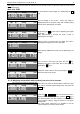
LEAN PORK 80%
kg EUR/kg EUR
2.284|20.70| 47.28
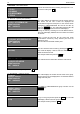
In the price per unit field is displayed the price. The total
price is re-calculated. On the top part of the display is
shown the name of the article (LEAN PORK 80%).
09.12.08 16:23:20
>0< kg EUR/kg EUR
0.000| 0.00|
After the load is removed the price per unit field is set to
Zero. The total price field is blank.
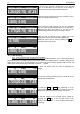
LEAN PORK 80%
NET kg EUR/kg EUR
2.170|20.70| 44.92
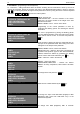
If the chosen PLU has previously set Tare it is deducted
from the weight and Net weight is shown. The NET sign is
displayed and shows that there is a set Tare for the
corresponding article and only the net weigh is shown.
LEAN PORK 80%
kg EUR/kg EUR
- 0.150|
After the load is removed from the platter. The scale
displays the value of the set Tare with negative sign.
Setting the Tare to zero is done by pressing the Т . key
when the scale is free of load.
09.12.08 16:23:20
>0< kg EUR/kg EUR
0.000| 0.00|
8.2. Label Printing
8.2.1. Printing the labels with the weighed commodities
After the commodity is being weighed by one of the methods described in p.8.1 – with freely entered or
previously set price is possible to print a label with the result of the weighed article. If a label is being print by
freely set price there will be no characteristics of the commodity such as Name, Expiration Date and est. The
field for these characteristics will be left blank or with the “ * ” symbol.
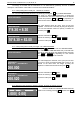
09.12.08 16:23:20
kg EUR/kg EUR
0.360| 0.00|
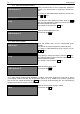
1. Place the desired load. The scale is displaying the
weight.
09.12.08 16:23:20
kg ЛВ/kg ЛВ
0.720|20.23| 7.28
2. Enter from the keyboard the PLU № or Article № of the
placed load: Example 2023.
ROASTED CHICKEN
kg ЛВ/kg ЛВ
0.360| 3.00| 1.08
3. Press the PLU or No art key depending on if you
have entered before the PLU № or the Article №. The scale
displays the name and the price of the chosen article.
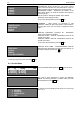
ROASTED CHICKEN PRINT >
kg ЛВ/kg ЛВ
0.360| 3.00| 1.08
4. After the weight is set, the label can be printed by
pressing the PRN key. In the top right corner of the
display is shown “PRINT>” – as an indication that the label
is printing.