
Use and Care Manual


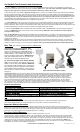


A) In Mode A maximum brightness is controlled and set by the user. In this mode the dual function Delay-Time dial functions as
a Brightness dial for setting the light level from lowest to maximum brightness (Left Dial). When motion is detected it will
brighten up to the level as pre-set by the Left Dial and when motion stops it will slowly dim down to the lowest factory
fixed pre-set moonlight soft glow lighting.
Caution
- The higher the brightness level is set to the more stored battery energy is used when activated by motion. If the IPM
detects that the battery does not have enough capacity to run this mode it will automatically go into AUTO profile (please refer to
AUTO profile description) to provide safety lighting until it receives enough sunlight to operate the feature correctly.
Mode A also allows the brightness level to be adjustable as a portable or table reading/studying light in low level light conditions.
B) In Mode B the minimum soft glow lighting is controlled and set by the user. In this mode the dual function Delay-Time dial
functions as a minimum dial, setting the dimming level of moonlight soft glow lighting. When motion is detected the light will
brighten up to the pre-set factory fixed max level and then dim back down to the level set by the user, Left Dial.
Caution
- The higher the minimum soft glow level is set to the more stored battery energy is used to provide soft glow lighting. If
the IPM detects that the battery does not have enough capacity to run this mode it will automatically go into AUTO profile to
provide safety lighting until it receives enough sunlight to operate the feature correctly.
In both Modes A&B If your geographic location has outstanding daytime sunlight conditions all year (California, New Mexico,
Florida of USA e.g.) then you can increase the dimming level or brightness level and take advantage of a brighter projection of
Moonlight soft glow Dusk-to-Dawn lighting. The Sensitivity/Range adjustment functions and setting are identically as
described for the AUTO profile. For most applications the recommending factory preset is Mode A (default, Fig. 3).
In both AUTO and SMART-ON profiles if the IPM detects that the battery does not have enough capacity to run either profile in
critical weather conditions, it will automatically disable illuminating function leaving only the charger active to protect the battery
from over discharge causing damage. Once enough sunlight is received to charge the battery, the unit will go back to AUTO
profile if set in AUTO. If set to SMART-ON profile then it will first go into AUTO profile until it receives enough sunlight energy to
operate SMART-ON profile properly.
In AUTO Profile the solar light operates as a motion sensing light and it lights up to full brightness when motion is detected.
The motion Sensitivity/Range can be adjusted by the Right Dial, the delay illuminating time that the light stays on after
activation can be adjusted by the Left Dial (Ref. Fig. 2, page 1).
The illuminating Delay Time can be set using the Left Dial to set the desired length of time for the light to be on after motion is
detected. It is adjustable from 5 to 180 seconds. The light on time will be extended as long as motion is continually detected and
It will not turn off until the motion has stopped and after the illuminating Delay Time has expired. (When set to AUTO profile
the max time of 180 seconds is recommended.)
The motion Sensitivity/Range can be set using the Right Dial to set the desired sensitivity/Range for the application. This
adjustment has a motion sensing range from Low 10’, Med. 35’, High 60’+(For most applications set the dial to between M-H,
in warmer temperature conditions set this slightly higher.)
Cautions: 1) Adjust the Sensitivity/Range so that it is not set too sensitive, this will increase false activations and reduce
stored battery energy. 2) If the IPM feature detects that the battery does not have enough stored energy to operate at full
brightness when AUTO profile is set then it will automatically reduce the light level to half brightness in order to maintain a level
of safe lighting until it again receives enough sunlight in good weather condition to restore it back to normal status.
“AUTO” Profile Operation
eLEDing SMART Light Profiles & Settings
Factory default is Mode A and
preset with maximum brightness
Fig. 3 A & B Mode
“SMART-ON” Profile Operation
In SMART-ON profile (switch position set to SMART) the solar light operates as a true Dusk to Dawn light. The unit senses its
surrounding ambient light level and will turn on in darkness providing adjustable moonlight soft glow lighting all night long. When
motion is detected it lights up to it’s maximum brightness or pre-set brightness within the set sensitivity range. In new or if
replacing existing AC light applications SMART-ON is the recommended profile when used as a outdoor and indoor light for
Security and Safety lighting. It can also be used to enhance CCTV applications to illuminate coverage area of the
camera.
The SMART-ON profile has two selectable innovative SMART Modes (A or B) to optimize the way the light brightens up or dims
down after motion has been detected (Ref. Fig. 3).
X
X
Fig. 4 Unusual Positions
X
Light Head must only be mounted VERTICALLY only.
Do not mount in any unusual positions as shown in
Fig.4
Important Note: The A&B Modes only operate in SMART-ON profile. They do not function if it is set with AUTO profile.
Rev. EE818WDC 032015 Page 2