Operation Manual
Manuals
Brands
Edimax Manuals
computer
OAP1750
101
102
103
104
105
106
107
108
109
110
107
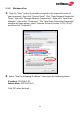
3.
Right c
li
ck “N
etwork” a
nd the
n s
elect “Pr
oper
ties”.
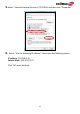
4.
In th
e wi
ndow that o
p
ens, sel
ect “Change adapt
er set
tings” from the l
eft
side
.
1
...
...
108
109
110
111
112
...
...
122