
Specifications




16
III‐3‐2‐5.WPS
Wi‐FiProtectedSetupisasimple,alternativewaytoestablishconnections
betweenWPScompatibledevices.Somewirelessnetworkdevicesfeaturea
built‐inWPSbutton,whichactivatesWPSonthatdevice.WhenWPSis
activatedinthecorrectmannerandatthecorrecttimefortwocompatible
devices,they
willautomaticallyconnecttoeachother.
WPScanalsobeactivatedviaadevice’swebuserinterface,whichhasthe
sameeffectasphysicallypushingtheWPSbutton(knownasPBCor“push
buttonconfiguration”).
PINcodeWPSisanadditionalvariationofWPSwhichcanbeactivatedfroma
device’s
webuserinterface,andincludestheuseofaPINcodebetweenthe
twodevicesforidentificationandverification.
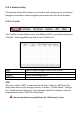
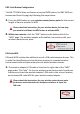
The“WPS”pagedisplaysinformationaboutWirelessProtectedSetup(WPS),
includingalistofavailableWPSaccesspointsanduser‐definedWPS“Profiles”.
InstructionstosetupPBCWPSandPIN
codeWPSareincludedbelow,
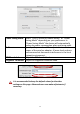
followedbyadescriptionofeachitemonthispage:
YoucansaveWPSsettingsasaprofileusingthe“ExportProfile”
buttonandswitchbetweenprofilesusingthe“WPSProfileList”.