
User manual


21
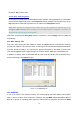
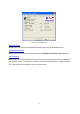
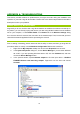
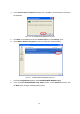
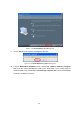
Figure 4-6: The Maintenance Complete Screen
802.11b/g WLAN Cardbus Does Not Work Properly
If this happens, follow the guidelines below.
Unplug and replug the 802.11b/g WLAN Cardbus into your PC’s Cardbus slot.
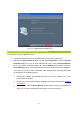
Right-click the
My Computer
desktop icon and choose
Properties
to open the
System
Properties
dialog box. If you are under Windows 98 or Me, choose the
Device Manager
tab, or if your system is Windows 2000 or XP, click the
Hardware
tab, and then choose the
Device Manager button. In the opened window, find your Cardbus to see if the installation
is successful. If you see a yellow exclamation mark beside the item, please go along with
the steps below to reinstall the drivers:
1. Uninstall the software and hardware drivers from your PC. (Please refer to the
previous topic for details)
2. Restart your computer and repeat the installation procedures as indicated in Chapter
2: Installation.
3. When finished, open the
Device Manager
window again to verify if the installation is
approved. The yellow exclamation mark shall be removed for this time.