
User manual

19
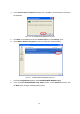
4. In the
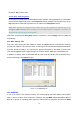
Confirm Device Removal
message box, click
OK
to proceed with the removal of
the hardware.
Figure 4-2: The Confirm Device Removal Message Box
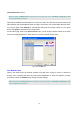
5. Click
Start
on the taskbar and choose
Control Panel
from the
Settings
menu.
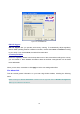
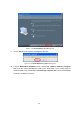
6. Select
Add or Remove Programs
to open the dialog box shown as below.
Figure 4-3: The Add or Remove Programs Dialog Box
7. Click the
Change/Remove
button under
WLAN FRISBEE IEEE802.11b/g
.
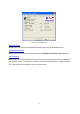
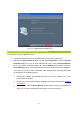
8. In the prompted
WLAN IEEE802.11b/g Setup
window, choose
Remove
and then click
the
Next
button to begin uninstalling the program.