
Installation Manual


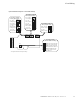


Menu Information
9000X AF Drives MN04001004E—May 2011 www.eaton.com 29
LED Status Indicators, continued
Navigation Buttons
Indicator Description
local Local—Steady Illumination
Indicates that the SVX9000/SPX9000 is ready to be started and operated from the local mode.
Local—Flashing
Indicates that the SVX9000/SPX9000 is ready for operating command to select local or remote operation.
remote Remote
Indicates that the SVX9000/SPX9000 is operating and controlling the load remotely.
fault Fault
Indicates that there is one or more active drive fault(s).
Button Description
Start
This button operates as the START button for normal operation when the “Keypad” is selected as the active control.
Enter
This button is used in the parameter edit mode to save the parameter setting and move to the next parameter …
• to reset the Fault History if pressed while in the “Fault History” menu
• to confirm the acceptance of a change
• to change a virtual button status while in the “Button” menu
• to confirm the start-up list at the end of the Startup Wizard
• when the “Operate” menu is active, to exit the “Operate” submenu
Stop
This button has two integrated operations. The button operates as STOP button during normal operation …
• motor STOP from the keypad, which is always active unless disabled by the “StopButtonActive” parameter
• used to reset the active faults
Reset
Resets the active faults.
Local/Remote
Switches between LOCAL and REMOTE control for start, speed reference, and reverse functions. The control locations corresponding
to local and remote can be selected within an application.
Left Arrow
• Navigation button, movement to left
• In parameter edit mode, exits mode, backs up one step
• Cancels edited parameter (exit from a parameter edit mode)
• When in “Operate” menu will move backward through menu
• At end of “Startup Wizard,” repeats the “Startup Wizard” setup menu
Right Arrow
• Navigation button, movement to right
• Enter parameter group mode
• Enter parameter mode from group mode
• When in “Operate” menu will move forward through menu
Up and Down Arrows
• Move either up or down a menu list to select the desired menu item
• Editing a parameter/password, while the active digit/character is scrolled
• Increase/decrease the reference value of the selected parameter
• In the “Operate” menu, will cause the display of the current reference source and value and allow its change if the keypad is
the active reference source. Used to set the password (if defined) when leaving the “Operate” menu
• Scroll through the “Active Faults” menu when the SVX9000/SPX9000 is stopped